Posts

Showing posts with the label android checkbox

CheckBox - Android Studio - Compose

Image
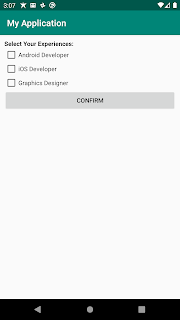
How to use the CheckBox using Android Studio & Compose? Learn how to use the Android CheckBox widget to allow users to select multiple options. This tutorial covers the complete implementation using Android Studio, Jetpack Compose, and XML layouts with practical examples like a color selector. >>  Check For Java >>  Check For Kotlin >>  Check For Compose Code: MainActivity.kt package com.technifysoft.myapplication import android.os.Bundle import android.widget.Toast import androidx.activity.ComponentActivity import androidx.activity.compose.setContent import androidx.compose.foundation.layout.Column import androidx.compose.foundation.layout.Row import androidx.compose.foundation.layout.Spacer import androidx.compose.foundation.layout.fillMaxSize import androidx.compose.foundation.layout.fillMaxWidth import androidx.compose.foundation.layout.height import androidx.compose.foundation.layout.padding import androidx.compose.mate...
CheckBox - Android Studio - Kotlin

Image
How to use the CheckBox using Android Studio & Kotlin? Learn how to use the Android CheckBox widget to allow users to select multiple options. This tutorial covers the complete implementation using Android Studio, Kotlin, and XML layouts with practical examples like a color selector. >>  Check For Java >>  Check For Kotlin >>  Check For Compose Code: activity_main.xml <?xml version="1.0" encoding="utf-8"?> <LinearLayout xmlns:android= "http://schemas.android.com/apk/res/android" xmlns:app= "http://schemas.android.com/apk/res-auto" xmlns:tools= "http://schemas.android.com/tools" android:layout_width= "match_parent" android:layout_height= "match_parent" android:orientation= "vertical" android:padding= "10dp" tools:context= ".MainActivity" > <TextView android:layout_width= "match_parent" ...

CheckBox - Android Studio - Java

Image
How to use the CheckBox using Android Studio & Java? Learn how to use the Android CheckBox widget to allow users to select multiple options. This tutorial covers the complete implementation using Android Studio, Java, and XML layouts with practical examples like a color selector. >> Check For Java >> Check For Kotlin >> Check For Compose Code: activity_main.xml <?xml version="1.0" encoding="utf-8"?> <LinearLayout xmlns:android= "http://schemas.android.com/apk/res/android" xmlns:app= "http://schemas.android.com/apk/res-auto" xmlns:tools= "http://schemas.android.com/tools" android:layout_width= "match_parent" android:layout_height= "match_parent" android:orientation= "vertical" android:padding= "10dp" tools:context= ".MainActivity" > <TextView android:layout_width= "match_parent" ...