Posts

Showing posts with the label SQLite Crud operations

SQLite Course | Android Studio | Java

Image
Features in this course: ✓Add/Update/Delete data (Image & Text) ✓Pick Image from Camera/Gallery with Crop, Flip, Rotate option ✓Show data in RecyclerView ✓Search Data ✓Sort Data ✓View data in detail ✓Share data ✓Save data ✓Delete data ✓Compatible with the latest Android OS (Tested on Android Q) Buy Source Code:  https://www.fiverr.com/share/vvAEDL YouTube Chanel: https://www.youtube.com/c/MohammadAtif1 Apps/Games Playstore:  https://play.google.com/store/apps/dev?id=6868537621115215530
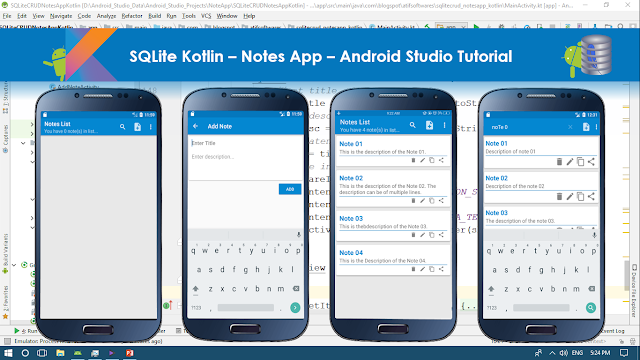
SQLite Kotlin – Notes App – Android Studio Tutorial

Image
In this tutorial we will make a "Notes App" using SQLite and Kotlin. It will contain following features. ✓Enter Data ✓Retrieve Data in ListView ✓Update/Edit Data ✓Delete Data ✓Search Data ✓Copy Data ✓Share Data Step 01:  Create a new Project  or  open new project Step 02: Create layout resource file under res>layout folder Step 03: Create new "Android Resource Directory" by clicking "res>New>Android Resource Directory", choose menu from Resource type Step 04: Create menu_main.xml by clicking "menu>New>Menu resource file"  Step 05: Create empty Activity name it as "AddNoteActivity.kt" Step 06: Create Class Note.kt Step 07: Create Class DbManager.kt Step 08: Source Code build.gradle(module:App) apply plugin: 'com.android.application' apply plugin: 'kotlin-android' apply plugin: 'kotlin-android-extensions' android { compileSdkVersion 27 defaultConfig { ...

Android SQLite CRUD and ListView - Android Studio Tutorial

Image
      DESCRIPTION       ✔Enter data(Text, Image) in SQLite ✔Read data(Text, Image) from SQLite in Custom ListView ✔Custom dialog to update record ✔Update data(Text, Image) by onLongClicking the row of ListView ✔Delete data(Text, Image) by onLongClicking the row of ListView ✔Select Image from gallery using Library, crop/rotate image. Link of image library used: https://github.com/ArthurHub/Android-Image-Cropper       VIDEO             SOURCE CODE       Step 1:  Create a new project   OR   Open your project Step 2:  Create New Activity File>New>Activity>EmptyActivity Step 3: Add following libraries in build.gradle(Module:app)  implementation 'com.android.support:design:27.1.0' /*cardview library for our row.xml*/ implementation 'com.android.support:cardview-v7:27.1.0' /*image choosing/cropping library*/ implementatio...